GitLaw How-To guides
Suggested Smart Fields
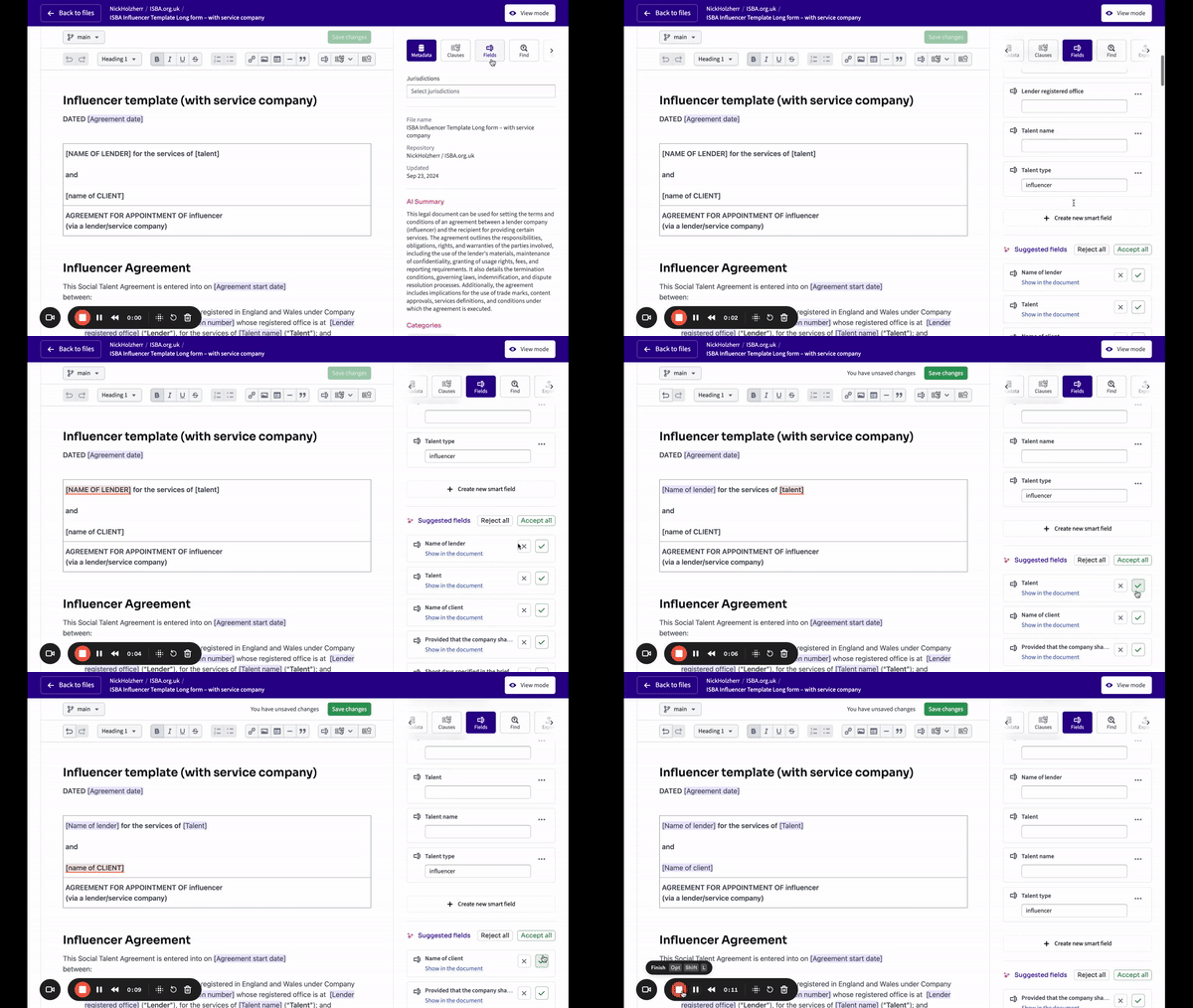
GitLaw suggests Smart Fields for you: the platform detects potential smart fields within your document and recommends them, so you can mark up templates for automation without hunting for every field yourself. Review each suggestion and apply the ones you want, and your template is ready for reuse faster.
Before you start: a document open in the GitLaw Editor.
How do suggested Smart Fields work in GitLaw?
When you work on a document, GitLaw scans the text and detects parts that could be smart fields, such as details that change from one use of the document to the next. It then recommends these as suggested smart fields, making it faster and easier to mark up templates for automation and efficiency. This speeds up document preparation: instead of marking up each field manually, you review what GitLaw has found and confirm the suggestions you want to keep.
Reviewed by the GitLaw team. Last updated 29 July 2026.