Frequently Asked Questions (FAQs)
How do I cancel or change my plan?
You can change or cancel your subscription yourself at any time from your billing settings. No support ticket required.
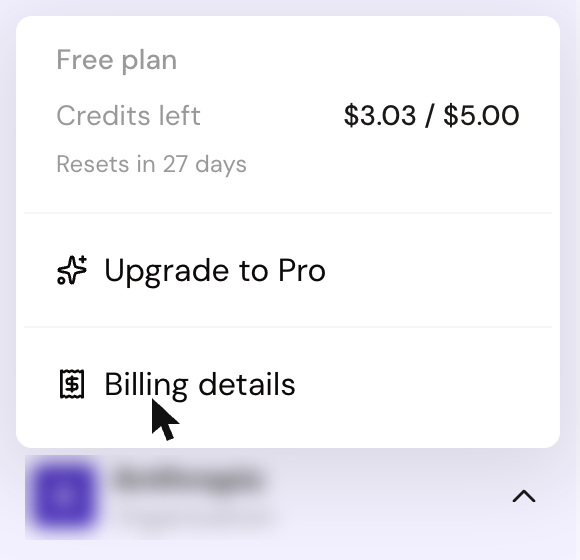
Open your billing settings
-
Click Credits at the bottom of the left sidebar.
-
Click Billing details.
Upgrading your plan
On the Billing page, click View Plans and select the plan you want.

The upgrade takes effect immediately and you'll receive a higher monthly AI credit allowance from that point forward.
Downgrading or cancelling
On the Billing page, click View Plans to choose a lower plan, or Cancel plan on your plan card to cancel. Before you confirm, GitLaw offers to pause your plan instead: pausing stops charges and freezes your credit balance until the plan resumes.
When you cancel, your plan runs to the end of the period you paid for. Then you move to the free plan's monthly AI credit allowance, and unused plan credits are lost. Your account and all your documents are kept.
Your documents are never deleted when you downgrade or cancel. See What happens to my documents if I cancel or delete my account? for more detail.
Frequently asked questions
Will I lose my documents if I cancel?
No. Your account and documents remain intact. You move to the free plan, which gives you $5 of AI credits every month and full access to GitLaw's features.
What happens to my AI credits when I change plan?
Your monthly credit allowance adjusts to match your new plan. Unused credits from the current billing cycle do not roll over regardless of plan - see How does billing work? for details on how credits work.
Can I re-upgrade later?
Yes. You can upgrade again at any time from your billing settings.